
Chapter 9 : File Handling In Python
File Handling Python language का एक बहुत महत्वपूर्ण Chapter है , जिसको समझना जरूरी है | एक Python File से किसी अलग file को connect करके (open करके) उस file मे काम करना या उस file को handle करना file Handling कहलाता है | इस Chapter को add करने का Purpose आपको किसी एक File से दूसरी File पर काम करने की जानकारी देने से है | Site पर दिए गए इस Chapter मे आप Text Files , Binary Files , csv Files , json Files , File access जैसे महत्वपूर्ण Topics को Learn करेगे |
Files क्या होती है ?
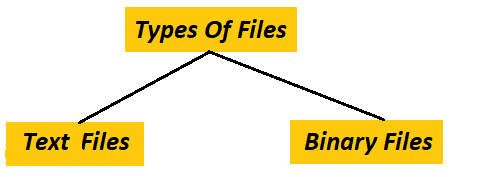
Files किसी भी data को computer में store करने की unit होती है For Example जिस तरह Kitchen मे समान रखने के लिए boxes होते है , उसी तरह से computer मे Data को store करने के लिए Files होती है | जब भी हम हमारा कोई Project , content या कुछ भी बनाते है | तो हमे Future मे उसमे update , read , write etc. काम करने की जरूरत होती है , जिसके लिए हम उस project को एक file के रूप मे save कर देते है | Files एक Storage यूनिट होती है , जिसमे data store किया जाता है | Python मे Files Mainly दो प्रकार की होती है |
Text Files क्या होती है ?
Text Files वे FIles होती है , जो human readable होती है यानि हम Text Files मे Stored data को देख
सकते है , Read कर सकते है | Text Files मे characters , numbers , punctuation आदि data store किया जाता है |
Text Files मे data को store करने के लिए encoding का उपयोग किया जाता है | encoding हमारे द्वारा लिखे
गए text को Binary मे convert करता है जैसे :-
a को (01000001) मे , ऐसा इसलिए किया जाता है क्योकि computer हमारी language नही समझता है वो 0 और 1 को समझता है
|
किसी File को Open करना
Python मे Text File को कैसे खोले इस step से File Handling की शुरूआत होती है | Python मे किसी अलग File को खोलेने के लिए open() Function का उपयोग किया जाता है | open() Function एक built in function है , जिसका उपयोग किसी file को open करने के लिए किया जाता है | किसी file को Python मे open करने के लिए Open() का उपयोग किया जाता है |
1open("filename", "mode")
Syntax Explanation
open() = > किसी और File को open करने के लिए open function का
उपयोग किया जाता है |
("filename") = > जिस file को open करना है Double quotes मे उस file का
नाम दिया जाता है |
("mode") = > file को किस mode मे open किया जाना है |
किसी file को open करने के बहुत mode होते है जैसे write mode , read mode , append mode etc. हर mode को नीचे समझाया
गया है |
1. read mode
किसी File के अंदर के data को केवल read करने के लिए File को read mode मे open किया जाता है | इस mode मे File को open करने से File मे stored data safe रहता है यानि stored data मे कोई changes नही किए जा सकते है | नीचे read Mode का एक Python code दिया गया है , जिसमे example.py file को try.py file मे read mode मे open किया गया है |
| example.py | try.py |
|---|---|
1This is the example.py file.
|
1file = open("example.txt", "r") 2data = file.read() 3print(data) This is the example.py file.
|
Code Explanations
file = open("example.txt", "r") = > example.txt को read mode मे open किया गया है और
file के object को file variable मे store किया गया है |
data = file.read() = > file variable से पूरे data को read करके data variable मे store किया गया है |
print(data) = > ये print() function screen पर data variable को display करता है |
2. write mode
write mode file मे stored सारे content को हटाके यानि delete करके file को open करता है और write mode से opened की गई file मे new data write किया जा सकता है | write mode को "w" से defin किया जाता है जैसे :-
| example.py | try.py |
|---|---|
Before 1This is the example.py file. After 2Hello User |
1file = open("example.txt", "w")
2file.write("Hello User")
Hello User
|
Code Explanations
file = open("example.txt", "w") = > example.txt file को write mode मे open किया गया है और file के object को
file variable मे store किया गया है |
file.write("Hello User") = > example.txt file मे "Hello User" write किया गया है |
3. Append mode
write mode file मे stored data को delete करके file को open करता है , जबकि append mode file से कुछ भी data delete किए बिना file को open करता है और file मे data भी add करने देता है | append mode को "a" से define किया जाता है जैसे :-
| example.py | try.py |
|---|---|
Before 1Hello User After 2Hello User 3This is new line |
1file = open("example.txt", "a")
2file.write("This is new line")
   Hello User
   This is new line
|
Code Explanations
file = open("example.txt", "a") = > example.txt को append mode मे open किया गया है |
और example.txt के सारे data को file variable मे store किया गया गया है |
file.write("This is new line") = > file variable मे stored content के last मे "This is new line"
write किया गया है |
4. writelines()
writelines के use से किसी file मे एक साथ कई lines लिख सकते है और file मे कई lines एक साथ लिखने के लिए file को write mode मे open किया जाता है | जैसे :-
| example.py | try.py |
|---|---|
Before 1Hello User 2This is the example.py file. After 3Python is 4good |
1file = open("example.txt", "w") 2lines = ["Python is\n", "good\n"] 3file.writelines(lines) |
Code Explanations
file = open("example.txt", "w") = > example.txt file को write mode मे open किया गया है |
lines = ["Python is\n", "good\n"] = > lines एक variable है , जिसमे "Python is\n", "good\n"
store किया गया है |
file.writelines(lines) file variable मे stored data मे lines variable मे stored data को add किया गया है |
File को close करना |
किसी file का काम पूरा होने के बाद file को close करने के लिए close() का उपयोग किया जाता है | नीचे एक close() का एक code दिया गया है |
| example.py | try.py |
|---|---|
1This is the example.py file. 2Hello User |
1file = open("example.txt", "r")
2file.close()
   Hello User
   This is new line
|
Code Explanations
file = open("example.txt", "r") example.txt को read mode मे open किया गया है |
file.close() file को read करने के बाद file को close किया गया है |
File मौजूद है या नही पता करना
आप जिस file को handle करना चाहते है , या open करना चाहते है वो file folder मे है या नही ये पता करने के लिए एक os Module का उपयोग किया जाता है |
| example.py | try.py |
|---|---|
File Exists 1Hello User 2This is the example.py file. 3Python is 4good |
1import os 2 3if os.path.exists("example.txt"): 4 print("File Exists") 5else: 6 print("File Not Exists") File Exists
|
Code explanations
import os = > os Module को import किया गया है |
if os.path.exists("example.txt"): = > opened folder मे example.txt मिलने जाने पर ये if statement ture होती
है |
print("File Exists") = > if statement के True होने पर ये print() function screen पर "File Exists"
message करता है |
else : = > if statement के false होने पर ये else statement ture होती है |
print("File Not Exists") = > else statement के True होने पर ये print() function screen पर "File Not Exists"
message करता है |
File को delete करना
अगर आप example.txt को delete करना चाहते है | तो file को delete करने के लिए os Module का उपयोग किया जाता है |
1import os
2
3os.remove("example.txt")
Code Explanations
import os os Module को import किया गया है | फिर
os.remove("example.txt") लिखा गया है कि example.txt को delete करो |
इन सभी methods के उपयोग से किसी text file को handle किया जा सकता है |
Text Files के लाभ
1. Text File human readable होती है जिसके कारण file मे data को store करना , read करना etc. काम
करना सरल है |
2. Text Files को use करना सरल है और text files को mobiles मे भी create किया जा सकता है |
3. Text Files mobiles computers मे Binary files के मुकाबले space कम लेती है |
4. Text Files को एक mobile से दूसरे mobile या एक computer से दूसरे computer मे share करना आसान है |
5. Text Files को vs code जैसे code editor मे open किया जा सकता है |
Binary Files क्या होती हैं ?
Binary files वो files होती है जो human readable नही होती है | यानि computer readable होती है | Binary files मे data 0 और 1 के रूप मे store होता है 0 और 1 के रूप मे data को computer ही समझ सकता है | पर हम Binary files को handle कर सकते है images audio की files Binary format की files होती है | Binary files को "rb" read और "wb" mode मे write किया जाता है | आपको बतादे की ऐसा नही है की Binary Files Human Readable न होने के कारण केवल Machine ही इनको समझ सकती है | Human Binary Files को भी Handle कर सकते है | जिस तरह से Text File को Python मे Open किया जा सकता है उस File पर Python से काम किया जा सकता है उसी तरह से Binary Files पर भी File को open करना , File को Close करना जैसे बहुत से काम किए जा सकता है | नीचे एक Binary File पर Open , Close , write जैसे Operations किए गए है |
File को open करना
Binary file को भी open करने के लिए Open() function का उपयोग किया जाता है | किसी Binary File को read , write जैसे अलग - अलग Modes मे Open किया जा सकता है | Binary File को read mode मे open करने के लिए "rb" उपयोग होता है मतलब read Binary नीचे दिए गए Code Editor मे एक Binary File को Read Mode मे Open करने का Python Code दिया गया है |
1with open("data.bin", "rb") as f:
2
3    print(f.read())
01001000 01100101 01101100 01101100 01101111
Code Explanation
with open("data.bin", "rb") as f: = > data file को rb mode मे open किया गया है और file को f variable मे
store की गया है |
print(f.read()) = > ये print() function screen पर f variable को display करता है |
File मे Write करना
File मे कुछ भी Write करने के लिए File को "wb" mode मे open किया जाता है , लेकिन wb mode मे file को open करने के बाद file मे पहले से stored data delete हो जाता है | Binary File को Open करने के लिए open() function का उपयोग किया जाता है | नीचे दिए गए code Editor मे एक Binary file को write mode मे open करने का python code दिया गया है |
1with open("data.bin", "wb") as f:
2    f.write(b"Hello User")
Code Explanation
with open("data.bin", "wb") as f: = > data file को Write mode मे open किया गया है और file को f variable मे
store की गया है |
f.write(b"Hello User") = > f variable मे stored file मे "Hello User" write किया गया है |
File को Close करना
अपना काम पूरा होने के बाद Open की गई File को Close करना बहुत महत्वपूर्ण ताकि कोई और व्यक्ति File को access ना कर सके File मे stored हमारा data secure रहे | किसी Binary File को close करने के लिए Close() function का उपयोग किया जाता है ना की open() function | नीचे दिए गए code Editor मे open की गई Data.bin file को close करने का python code दिया गया है |
1file = open("data.bin", "rb")
2data = file.read()
3file.close()
Code Explanation
file = open("data.bin", "rb") = > data file read mode मे open कि गयी है और file variable मे store की गई है
|
data = file.read() = > file variable stored file को data variable मे store की गई है |
file.close() = > file variable मे stored file को close किया गया है |
Binary File की विशेषताएँ
1. Machine Readable : Binary Files Machine readable होने के कारण इनको केवल Machine ही पढ़ सकती है | ये Files
human readable नही होती है |
2. Format : Binary Files मे data 0 और 1 मे store होता है |
3. editor not support : Binary files को vs code जैसे editors support नही करते है |
4. space : Binary Files मे data 0 और 1 मे store होने के कारण Binary Files अधिक
space लेती है |
Diffrence Between Text Files And Binary Files
| Base | Text File | Binary FIle |
|---|---|---|
| 1. Meaning | Text file मे text data store किया जाता है | | Binary file मे 0 और 1 मे data store होता है | |
| 2. size | Text file का size छोटा होता है | | Binary file का size बडा होता है | |
| 3. Readable | Text Files Human readable होती है | | Binary Files Machine readable होती है | |
| 4. Modes | Text File के कुछ "w" "r" "a" modes है | | Binary File के कुछ "rb", "wb" modes है | |
| 5. Examples | Text File के कुछ .txt, .html, .py है | | Binary File के कुछ .jpg, .mp3, .png है | |
File Pointer
File Pointer Python language का एक महत्वपूर्ण Concept है जिसका उपयोग Files के साथ अच्छे से काम करने के लिए किया
जाता
है | File Pointer से मतलब है कि जब भी Python मे कोई File Open की जाती है तब Python अपने आपसे उस File मे एक
Pointer create कर देता है ये Pointer हमे File के live position को बताता है यानि की हम File के किस Number
पर है ऐसा करने के लिए Python मे बहुत ही महत्वपूर्ण दो Functions का उपयोग किया जाता है |
1. tell() = > tell() python मे एक built in Function है जो बताता है कि open की गई File मे अब
Pointer
किस position पर है | नीचे tell() function का Code दिया गया है |
file_object.tell()
2. Seek() = > seek() function के उपयोग से हम pointer को file के किसी भी Number पर ले जा सकते है | Python एक case sensitive language होने के कारण tell और seek दोनों functions Names को small letters मे लिखे | नीचे seek() function का Code दिया गया है |
file_object.seek(position)
NOTE : File pointer bytes में move होता है characters मे नहीं
CSV Files
CSV एक Text File है क्योंकि इस File मे Text Data stored होता है | CSV File का पूरा नाम Comma Separated Values है | CSV File से मतलब है की CSV files मे data comma(,) से Store किया जाता है comma से data store करने से data अलग - अलग columns मे store होता है जैसे excel मे columns मे data store होता है | python language हो या कोई और language CSV files को handle करने के लिए csv module file का उपयोग किया जाता है | csv module file एक built in module file है , इसलिए इस file को create नही किया जाता है | किसी csv file मे कुछ इस तरह से data store किया जाता है |
st_name , st_fname , st_village
Rahul , kamal , iiiii
deepak , vijay , jjjjj
CSV File पर Normal File के जैसे Read , Write , append etc. Operations perform किए जा सकते है | नीचे CSV file को read का करने का Code दिया गया है |
1import csv
2with open("data.csv", "r") as file:
3    reader = csv.reader(file)
4    for row in reader:
5        print(row)
['Name', 'Age', 'City']
Code Explanation
import csv = > csv module file को import किया गया है |
with open("example.csv", "r") as file: = > example.csv File को read mode मे open किया गया है |
reader = csv.reader(file) = > file object मे stored पूरे data को reader variable मे store किया गया है |
for row in reader: = > ये for loop reader variable मे stored data को row variable मे store करता है |
print(row) = > ये print() function screen पर row variable को display करता है |
Temporary Files
Temporaries Files ऐसी Files होती है जो automatically create होती है और काम पूरा होने के बाद अपने आप delete हो जाती है | ऐसी Files मे data safe नही होता है | जिस तरह से computer मे जब कोई software install किया जाता है तब उस Time Temporary file create होती है | Temporary Files पर भी Normal Files के जैसे Python Language से read , write , append etc. Operations perfom किए जा सकते है | Temporary Files पर Python Language से Operations perform करने के लिए tempfile module File का उपयोग किया जाता है | नीचे कोई Temporary File आपके opend computer folder मे है या नही check करने का Python Code दिया गया है |
1import tempfile
2import os
3temp = tempfile.NamedTemporaryFile()
4print("Temporary File Name:", temp.name)
5print("File Exists:", os.path.exists(temp.name))
6temp.close()
Code Explanation
import tempfile = > tempfile Module को import किया गया है |
import os = > os Module को import किया गया है |
temp = tempfile.NamedTemporaryFile() = > Tempfile Module की मदद से एक Temporary File बनाकर उसे temp नाम के
variable
में store किया गया है |
print(temp.name) = > ये print() function screen पर temp variable मे stored file का नाम display करता है
|
print(os.path.exists(temp.name)) = > ये print() function screen पर temp variable मे stored file name
Computer मे मिल जाने पर
"File Exists" show करता है |
json file Handling
json का पूरा नाम JavaScript Object Notation है | json File का उपयोग APIs, web applications और configuration files में use होता है | json file मे data key और value के form मे store किया जाता है जिस तरह से python dictionary create करते time dictionary मे data store किया जाता है json file मे भी same वैसे ही data store किया जाता है | json file मे कुछ इस तरह से data store होता है |
{
  "name": "Rahul",
  "age": 20
}
python language से json file के साथ काम करने के लिए json module file का उपयोग किया जाता है json module file python मे एक built in module file है | json file के साथ भी Normal file के जैसे read , write etc. operations perform किए जा सकते है नीचे json file मे stored data को read करने का python code दिया गया है |
1import json
2with open("data.json", "r") as file:
3    data = json.load(file)
4print(data["name"])
Code Explanation
import json = > json module file को import किया गया है |
with open("data.json", "r") as file: = > data.json file open कि गयी है और file variable मे store की गई है
|
data = json.load(file) = > file variable मे stored file data variable मे store की गई है |
print(data["name"]) = > ये print() function data variable को display करता है |
Diffrence Bitween CSV , Temporary And Json Files
| Base | CSV Files | Temporary Files | Json Files |
|---|---|---|---|
| 1. Full Form | Comma Separated Values | Temporary Storage File | JavaScript Object Notation |
| 2. Extension | CSV files को .csv Extension से save किया जाता है | | Temporary files को .tmp (या कोई भी) Extension से save किया जाता है | | json files को .json Extension से save किया जाता है | |
| 3. Structure | CSV files मे data column के format मे save होता है | | Temporary files मे data store करने का कोई fixed format नही है | | json files मे data key और value के format मे save होता है | |
| 4. Complex Data | CSV Files मे data अधिक complex नही होता है | | Temporary मे possible हो सकता है | | json files मे complex data store होता है | |
| 5. Module File | CSV file के लिए csv module file उपयोग की जाती है | | Temporary file के लिए tempfile module file उपयोग की जाती है | | json file के लिए json module file उपयोग की जाती है | |
You have completed This Chapter ! 🎉
Now you can choose any one of the following options to test your knowledge :
Help Center
Users and we all help you together .